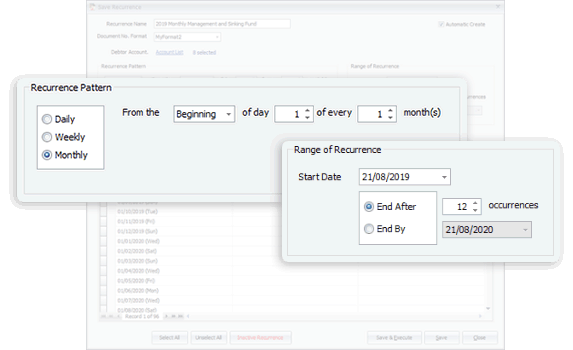
Schedule Your Recurring Entries
Schedule all future transactions and decide either to generate the entries automatically or to be prompted with reminders.

Business Software
Create as many templates as you need for frequently used documents, and schedule all recurring transactions for future periods. Improve productivity and efficiency in daily routines with a few simple actions.
A-PlusCom solution ecosystem
Product, implementation, support and consultation are connected through one A-Plus Com service experience.
Improve productivity and efficiency in daily routines with a few simple actions.
Schedule all future transactions and decide either to generate the entries automatically or to be prompted with reminders.
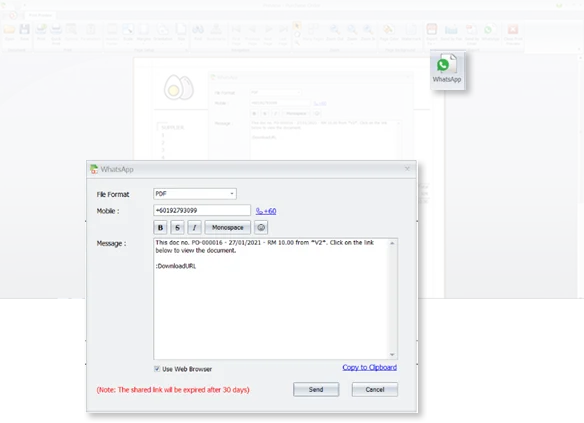
Sending documents, reports and locations is made easy with WhatsApp links.
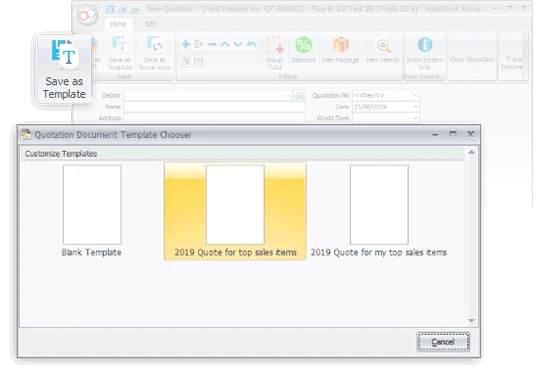
Create a template for frequently used documents and enjoy speedy processes in subsequent billings.
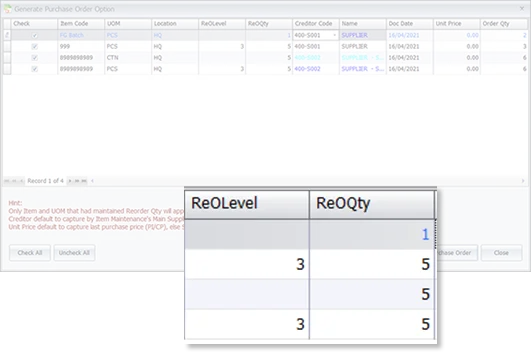
Browse Reorder Advice, decide from proposed items and quantities, then generate Purchase Orders immediately to suppliers.
Enhancements for inventory, pricing, access rights and item analysis.
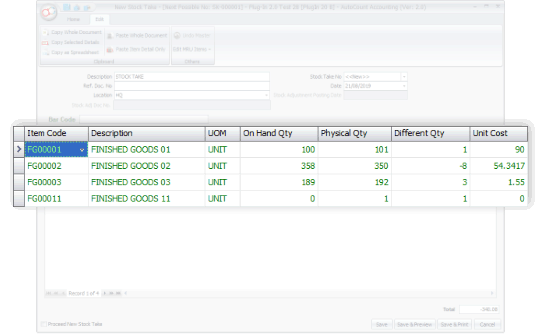
After a stock take, the system detects differences between physical quantity and book quantity.
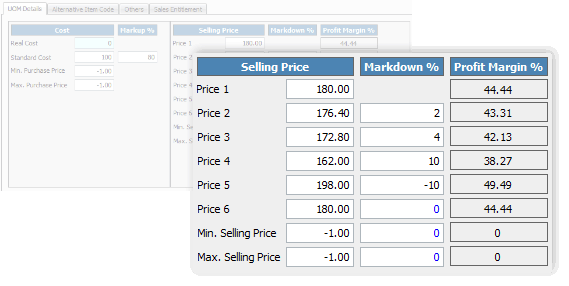
Maintain up to 6 levels of selling price and assign to different customer categories.
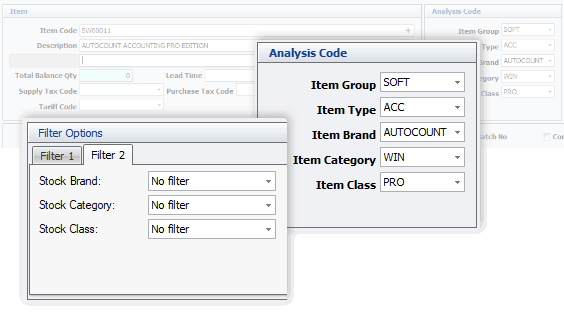
Differentiate inventory items by Item Group, Type, Brand, Category and Class for better filtering and reporting.
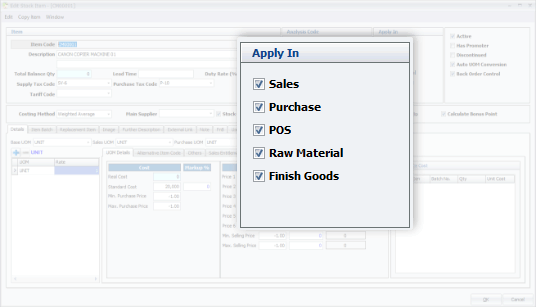
Specify stock item applicability to reduce non-relevant loading during Sales, Purchase, POS, Raw Materials and Finished Goods processes.
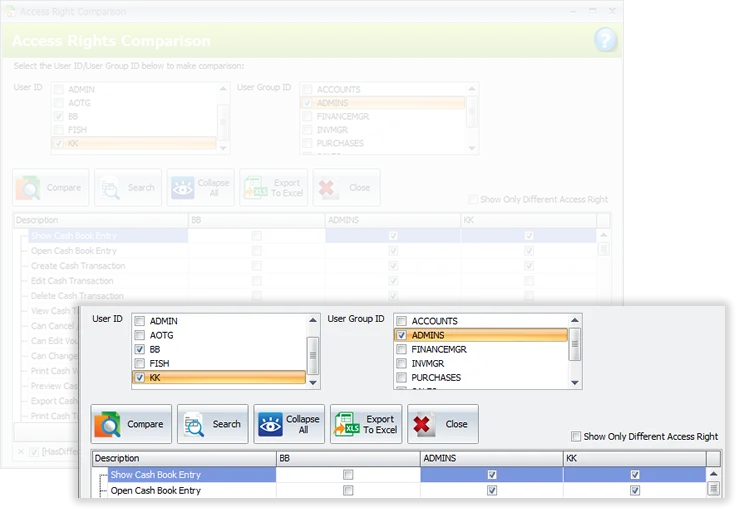
Compare access rights by user and group, export rights to Excel, and copy access rights from an existing user to a new user.
Small workflow improvements that make daily accounting and document work easier.
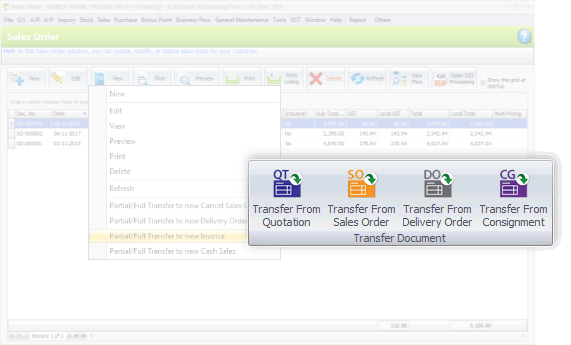
Create a new document using either Transfer To or Transfer From, depending on which flow works better.
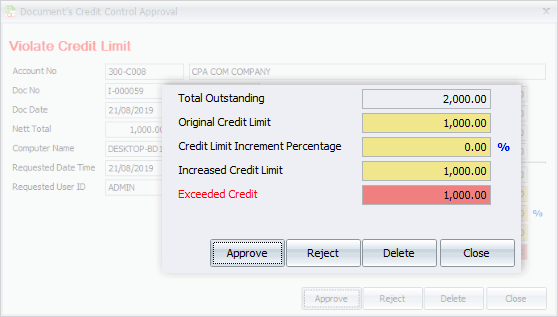
Documents violating credit limit trigger a prompt requesting approval to proceed.
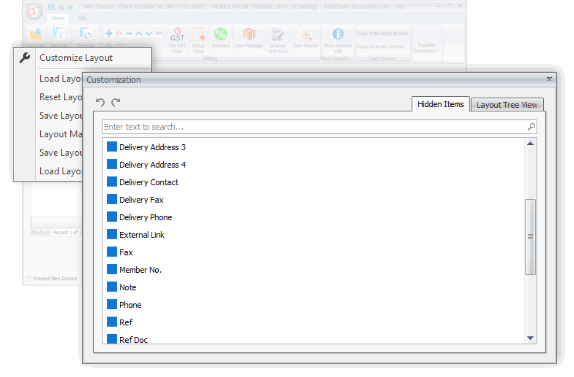
Add desired information and data fields when creating transactions for sales, purchases and inventory.
Access office server account book databases from home or outside the office through internet login.
Better process flows for consignment and deposit management.
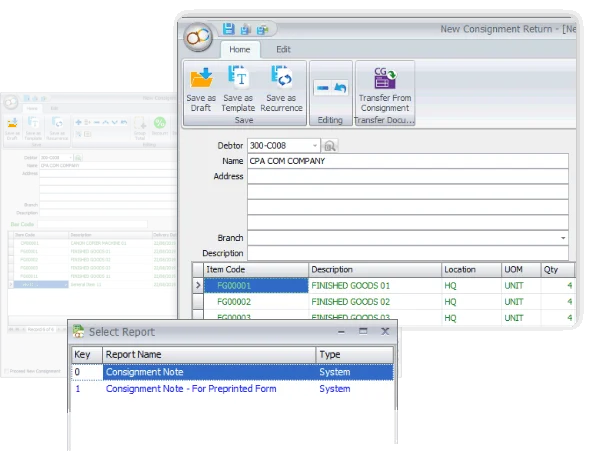
Manage consignment activity from consignment note to transfer, return, invoice and inventory status reports.
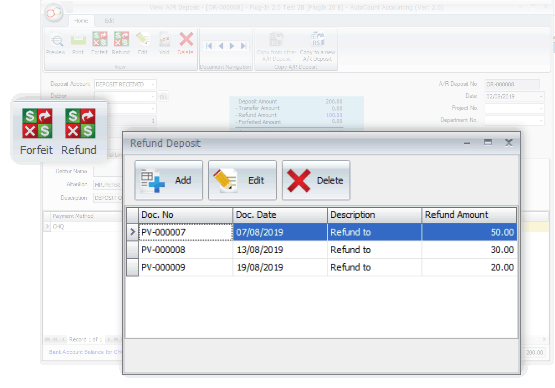
Record deposits received, transfer deposits as payment to offset invoices, and handle refunds or forfeits.
Flexible searching, inquiry and formula customization.
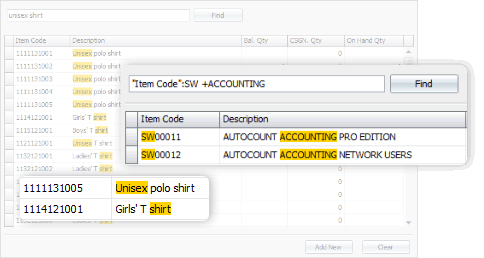
Partially and fully matched records are displayed during keyword search.
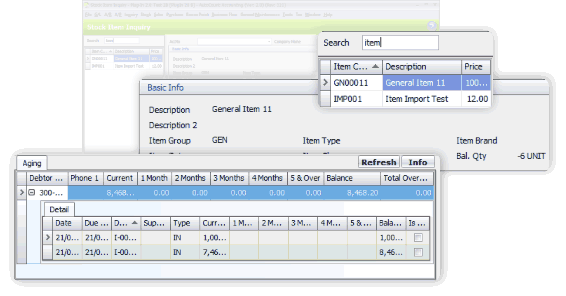
A refined Stock Item Inquiry screen shows greater details for highlighted stock items.
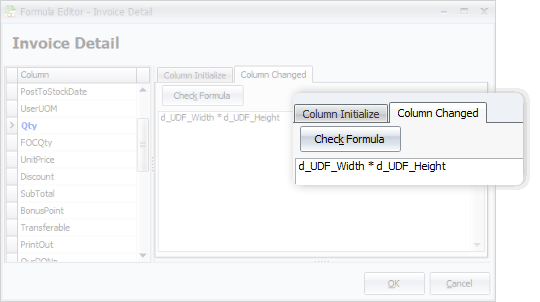
Customize document fields, including detail bands, by applying formulas to meet desired calculations.
Personalize your software workspace and dashboard.
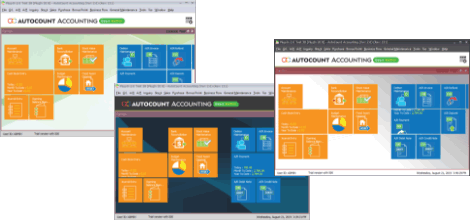
Pick a preferred software theme color for your login.
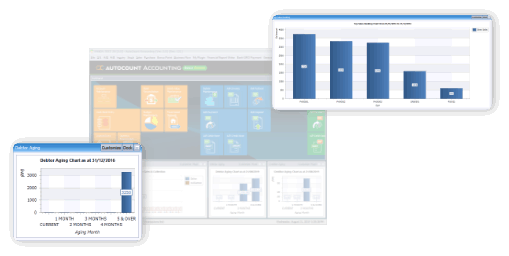
Choose the tiles and main functions to show on the main page.
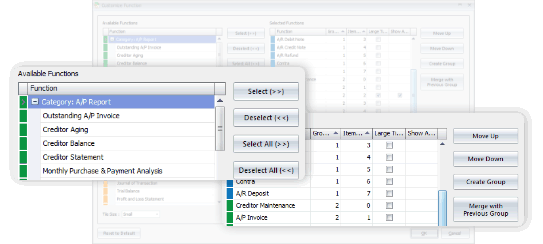
Keep frequently used functions visible on the main page for faster access.
Implementation and support
A-Plus Com helps customers discuss requirements, implement systems, maintain support flow and connect business software with practical day-to-day operation needs.
Send your enquiry and our team will guide you based on your current business workflow.
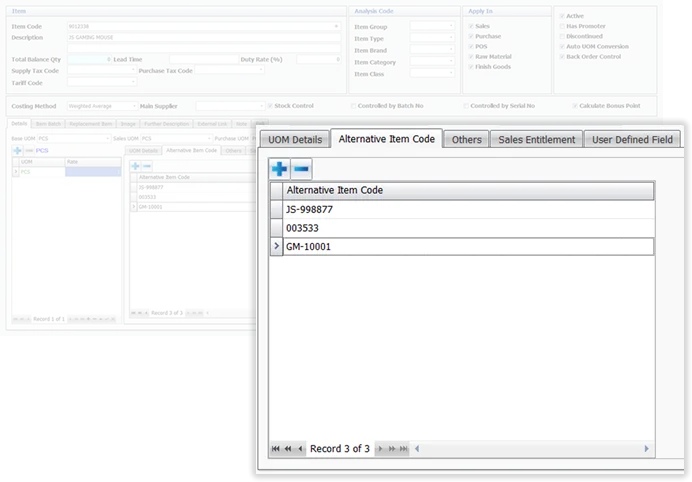
Match each product item with unlimited alternative codes such as barcodes, supplier codes and simplified codes.
HQ-KL Office
19&21, 5th Floor, Jalan Daya 11, Taman Daya, Kepong, 52100 Kuala Lumpur, W.P. Kuala Lumpur, Malaysia.
Support Hotline: 1700-818-648
Sales Enquiry: +60 12-286 9799
Email: info@a-pluscom.com